Team capacity planning: 40% more story points delivered

TL;DR:
- Team capacity is the realistic work a team can complete in a sprint, not workload or velocity.
- Accurate capacity calculation considers team composition, availability, meetings, productivity, and buffers.
- Proper capacity planning improves predictability, reduces overcommitment, and should be used as a clarity tool, not a control metric.
Most project teams overcommit not because they are lazy planners but because they genuinely misread what their team can handle. There is a real difference between how many hours exist on a calendar and how many productive hours a team can realistically deliver. Most teams overcommit due to misjudged capacity, and the result is missed deadlines, burnout, and eroded trust with stakeholders. Team capacity is the bedrock of predictable delivery. This guide will clarify what team capacity actually means, show you how to calculate it accurately, and give you practical strategies to optimize project outcomes without grinding your team into the ground.
Table of Contents
- What is team capacity? Key concepts and definitions
- How is team capacity calculated? Main factors and formulas
- Nuances, pitfalls, and edge cases in capacity planning
- Applying team capacity insights: Practical strategies for SMBs and startups
- A fresh take: Why capacity planning is misunderstood and how to fix it
- Level up your team capacity with TeamBuilt
- Frequently asked questions
Key Takeaways
| Point | Details |
|---|---|
| Clarify team capacity | Team capacity sets the realistic foundation for project planning and delivery predictability. |
| Use accurate calculations | Factor availability, overhead, and buffers to avoid overcommitment and burnout in scaling teams. |
| Focus on predictability | Effective capacity planning leads to more consistent project outcomes and improved team well-being. |
| Apply proven strategies | Start with weekly reviews, commit to less than 85% capacity, and integrate velocity tracking for continual improvement. |
What is team capacity? Key concepts and definitions
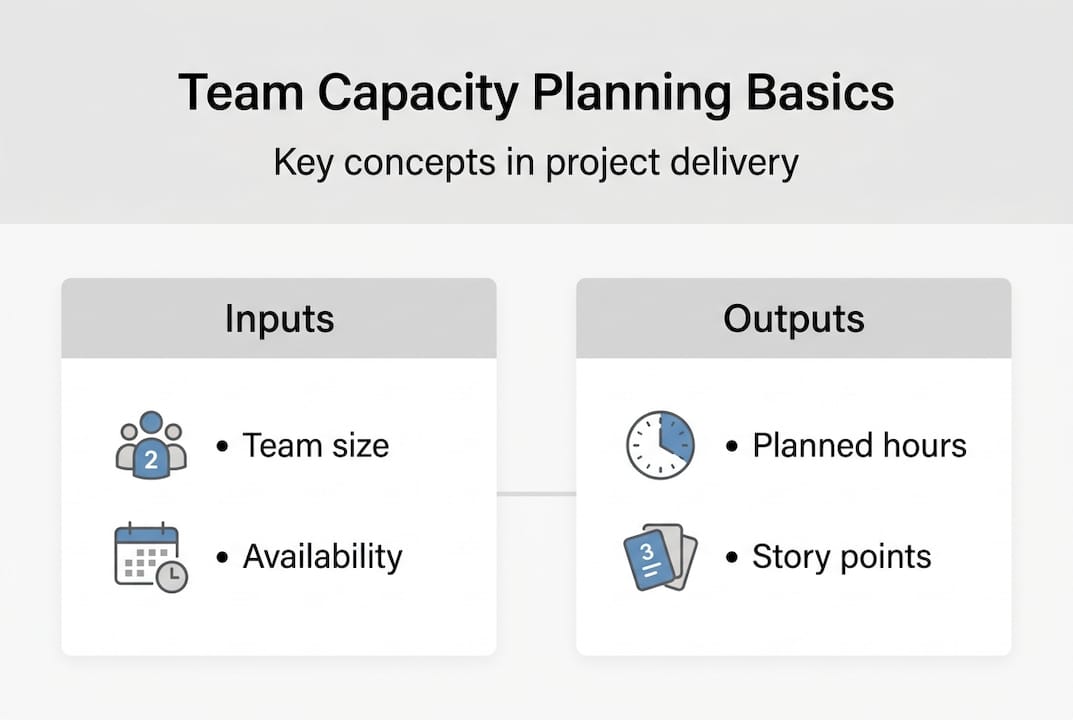
Team capacity is not the same as workload, velocity, or throughput, and mixing these up is where most planning goes sideways. Team capacity is the total work a team can realistically complete in a sprint, measured in hours or story points. It is a forward-looking estimate, not a performance score.
Here is how the key terms differ:
- Capacity: The realistic ceiling of work a team can take on in a given period, accounting for availability and overhead.
- Velocity: A historical measure of how many story points a team actually delivered in past sprints. It looks backward.
- Throughput: The number of items completed per unit of time, often used in Kanban environments.
- Workload: The total volume of tasks assigned, which may or may not align with actual capacity.
Capacity can be measured in hours, story points, or ideal days. Hours work well for teams that track time closely. Story points suit agile scrum teams that prefer relative estimation. Ideal days represent how long a task would take if a developer could focus on it exclusively, with zero interruptions.
Why does this matter so much? Because capacity sets the realistic baseline for every sprint plan, roadmap, and resource conversation you will have. Without it, you are guessing. With it, you are planning.
“Capacity is not about squeezing more out of your team. It is about knowing what is actually possible so you can make honest commitments.”
Using centralized planning tools makes it far easier to keep capacity data visible and up to date across multiple teams. You can also start with a structured capacity planning template to build your first baseline without overthinking the format.
One critical mindset shift: capacity is not a performance metric. It is a predictability tool. Teams with lower capacity due to onboarding, PTO, or meetings are not underperforming. They are operating within real constraints, and good planning honors that.
How is team capacity calculated? Main factors and formulas
Now that you understand what team capacity means, here is how to calculate it accurately. The process is straightforward once you break it into steps.
- Identify team composition. List every team member contributing to the sprint, including part-time contributors.
- Set the sprint length. Common lengths are one or two weeks. A two-week sprint gives each full-time member roughly 80 available hours.
- Subtract non-working time. Deduct PTO, public holidays, sick days, and any planned leave.
- Account for meetings and overhead. Meetings typically consume 20 to 30% of a developer’s week. Factor that out.
- Apply a productivity multiplier. Not every working hour is a focused, productive hour. Context switching, Slack notifications, and unexpected interruptions erode output.
- Add a buffer for unplanned work. Reserve 10 to 25% for bugs, urgent requests, and the surprises that always show up.
The calculation includes size, sprint length, availability, meeting deductions, productivity multipliers, and unplanned work buffers as core inputs. And the recommended commitment is 85% of theoretical capacity, not 100%.
Here is a simple example table for a five-person scrum team in a two-week sprint:
| Team member | Available hours | Meeting overhead (25%) | Productive hours |
|---|---|---|---|
| Developer A | 80 | 20 | 60 |
| Developer B | 64 (part-time) | 16 | 48 |
| Designer | 80 | 20 | 60 |
| QA engineer | 80 | 20 | 60 |
| Tech lead | 80 | 32 (40%) | 48 |
| Total | 384 | 108 | 276 |
At 85% commitment, this team should plan for roughly 235 productive hours per sprint, not 384.

Pro Tip: Always involve the team in estimating their own availability. They know about the dentist appointment, the on-call rotation, and the side project eating their Fridays. Top-down capacity estimates without team input are almost always wrong.
For more on structuring delivery timelines around real availability, see these project timeline management steps. And for reducing manual overhead in your planning process, workflow automation examples can show you where to start. For deeper nuance on the math, the capacity planning nuances guide covers edge cases well.
Nuances, pitfalls, and edge cases in capacity planning
Beyond formulas, real-world teams face several nuances and challenges that textbook examples never quite capture.
First, a clarification on Scrum: capacity complements Scrum but is not mandatory. Some high-functioning scrum teams rely primarily on velocity and skip formal capacity tracking entirely. That is a valid choice, but it works best when team composition and sprint length are stable. For scaling SMBs with rotating contributors or frequent scope changes, capacity planning adds essential structure.
Here is a comparison of common planning scenarios:
| Scenario | Recommended approach | Key risk |
|---|---|---|
| Stable team, consistent sprints | Velocity-based planning | Complacency around actual availability |
| New team or new members | Capacity-first planning | Overestimating output during ramp-up |
| Cross-timezone team | Async-adjusted capacity | Collaboration lag reduces effective hours |
| New technology adoption | Reduced capacity with buffer | Productivity drops 20 to 30% during ramp |
Some important pitfalls to watch for:
- Using capacity for performance reviews. This is a misuse that damages trust and distorts planning data.
- Ignoring context switching. A developer split across three projects does not deliver 33% on each. Cognitive load compounds the loss.
- Assuming linear scaling. Adding team members past ten people introduces coordination overhead that flattens velocity growth.
- Skipping buffers. Unplanned work is not optional. It is inevitable.
Effective capacity is 70 to 80% of nominal hours for most teams, which means if you plan at 100%, you are already behind before the sprint starts.
“The teams that plan at full capacity are the same teams that miss deadlines every sprint. Buffers are not waste. They are insurance.”
For teams managing complex agency workflows and agile capacity, these nuances matter even more. You can also explore resource planning benefits to understand how structured planning reduces delivery risk. The capacity vs velocity debate is worth reading if your team is deciding which metric to prioritize.
Applying team capacity insights: Practical strategies for SMBs and startups
Armed with practical knowledge, here is how SMBs and startups can apply capacity planning for sustained project success.
Start simple. You do not need expensive software on day one. An Excel or Google Sheets prototype with columns for team members, available hours, deductions, and committed capacity is enough to get started. Review it weekly, not just at sprint boundaries.
Here is a practical sequence to follow:
- Build your baseline. Calculate available hours per person per sprint using the formula above.
- Involve the team. Run a short async check-in at the start of each sprint to capture real availability.
- Factor in 20 to 30% overhead. Meetings, standups, reviews, and retrospectives eat more time than most managers estimate.
- Commit at under 85% capacity. Leave room for the unexpected without derailing the sprint.
- Track velocity alongside capacity. Over time, your velocity data will validate or challenge your capacity assumptions.
- Review and adjust monthly. Team composition changes. So does overhead. Static capacity models go stale fast.
Proper capacity planning delivers 40% more story points and optimized utilization cuts costs by 30%. Those are not marginal gains. For new teams, start at 5 to 10 story points per person per sprint as a baseline, then calibrate as you gather real velocity data.
Pro Tip: Story point consistency matters more than the scale you choose. Whether your team uses a 1-to-8 or Fibonacci scale, keep it consistent across sprints so velocity trends stay meaningful.
For teams exploring how software can reduce the manual burden of capacity tracking, SaaS and optimized capacity is a useful read. A solid capacity planning toolkit can also replace scattered spreadsheets with a single source of truth. And if team motivation is slipping under heavy workloads, team motivation strategies offer practical approaches to keep energy high.
A fresh take: Why capacity planning is misunderstood and how to fix it
Here is the uncomfortable truth most planning guides skip: most teams do not fail at capacity planning because they lack the right formula. They fail because they treat capacity as a control mechanism instead of a clarity tool.
When managers use capacity data to pressure teams or justify headcount cuts, the numbers get gamed. People underreport availability to create slack, or overreport to look productive. Either way, the data becomes useless.
What actually improves predictability is not tighter tracking. It is clearer specs, honest buffers, and continuous review. Capacity planning prevents 80% of clarification requests when paired with well-defined requirements. That is where the real efficiency gain lives.
Small teams can scale velocity linearly up to a point, but past roughly ten members, coordination costs eat into gains. The answer is not to abandon capacity planning. It is to use it as a conversation starter, not a performance scorecard. For teams managing real-world agency workflows, this mindset shift is often the difference between reactive firefighting and calm, predictable delivery.
Level up your team capacity with TeamBuilt
Putting capacity planning into practice is significantly easier when your tools are built for it. TeamBuilt gives project managers and operations leads a real-time view of team availability, workload distribution, and delivery forecasts, all in one place.

Instead of stitching together spreadsheets and calendar exports, you get a live picture of who has capacity, when, and for what. The Teambuilt resource planning features are designed specifically for scaling SMBs and agencies that need more than a basic task list. If you are ready to replace scattered workflows with a purpose-built planning platform, explore what the Teambuilt platform can do for your team today.
Frequently asked questions
How do you measure agile team capacity?
Agile team capacity is measured using hours, story points, or ideal days, factoring in each member’s availability, productivity, and deductions for meetings or PTO.
How does capacity differ from velocity?
Capacity vs velocity: capacity is a forward-looking planning forecast, while velocity is a historical measure of actual work delivered in past sprints.
What’s the best way to avoid over-utilization?
Commit to less than 85% of calculated capacity, reserve buffers for unplanned work, and review team availability at the start of every sprint.
Are capacity planning tools worth it for SMBs?
Yes. Even a simple spreadsheet reviewed weekly improves commitment accuracy and reduces delivery risk for scaling teams.
How can new tech adoption impact team capacity?
New technology reduces productivity by 20 to 30% during ramp-up, so teams should build extra buffer into any sprint that involves adopting unfamiliar tools or platforms.
Recommended