Complex Workflow Management Guide for Professionals



TL;DR:
- Poorly managed complex workflows cause cascading failures, missed deadlines, and eroded team trust. Effective management requires thorough process audits, advanced orchestration techniques, shadow testing, and continuous monitoring to ensure reliability. Centralized orchestration with proper error handling and clear ownership helps teams scale workflows successfully while maintaining visibility and adaptability.
When poorly managed, complex workflows don’t just slow teams down. They create cascading failures: missed deadlines, duplicated work, silent data errors, and the kind of cross-team frustration that erodes trust fast. This complex workflow management guide goes beyond the basics. You’ll find advanced orchestration strategies, practical implementation steps, error handling patterns, and the metrics that actually tell you whether your workflows are healthy. Whether you’re an operations lead drowning in dependencies or a project manager trying to get three teams to move as one, what follows is the structured guidance you need.
Table of Contents
- Key takeaways
- The complex workflow management guide starts here
- Core orchestration concepts and architecture
- Step-by-step implementation for complex workflows
- Common challenges and how to avoid them
- Measuring success and optimizing continuously
- Why conventional workflow thinking fails at scale
- How Teambuilt helps you manage complex workflows
- FAQ
Key takeaways
| Point | Details |
|---|---|
| Map before you automate | Audit existing workflows to find friction points and data silos before deploying any automation. |
| Orchestration beats scheduling | Use an orchestration layer with state management and error handling for any process with 3 or more dependent steps. |
| Pilot with shadow testing | Run a 14-day shadow pilot to expose data messiness and logic breakpoints before full deployment. |
| Measure what matters | Track success rate, retry rates, latency, and throughput as your core workflow health indicators. |
| Balance automation with human oversight | Set confidence thresholds that trigger human-in-the-loop reviews to prevent error compounding in automated decisions. |
The complex workflow management guide starts here
Before you can manage complex workflows well, you need to understand what makes them complex in the first place. What is complex workflow management? It’s the practice of coordinating multi-step, multi-system, multi-team processes where dependencies, data flows, and decision logic interact in ways that simple checklists or basic task tools can’t reliably handle.
The preparation phase determines whether your implementation succeeds or becomes a maintenance nightmare six months later.
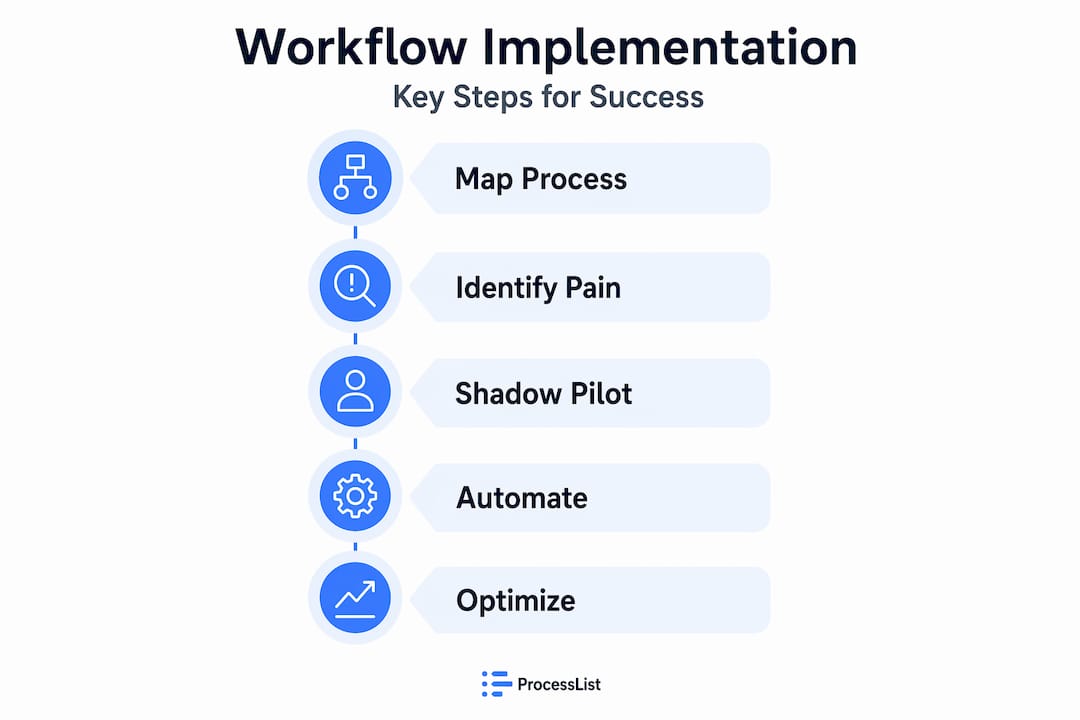
Start with a process audit. Walk every existing workflow from trigger to output. Document what actually happens, not what the documentation says should happen. You’ll find undocumented manual steps, shadow spreadsheets, and decision points handled differently by different team members. These are your friction points.
Before implementing anything new:
- Identify data silos where information lives in disconnected systems and requires manual transfer
- Map dependencies between tasks, teams, and systems explicitly
- Confirm that data quality is sufficient for automation (bad input data compounds into worse output errors)
- Align on a unified identity and access management approach so the right people can access the right workflow components
- Define team roles clearly: who owns each workflow, who gets paged when something breaks, and who has authority to approve exceptions
Pro Tip: Don’t try to automate your best workflows first. Automate the most painful ones. The ones your team dreads are where you’ll see the most immediate return, and the process of automating them forces you to solve the underlying design problems.
A 14-day shadow pilot approach is one of the most underused preparation tactics. You run the automated workflow in parallel with your existing process, comparing outputs without changing anything live. The discrepancies you find reveal exactly where your assumptions about the data and logic were wrong, before those wrong assumptions break something in production.
Technology requirements matter too. You’ll need an orchestration engine (not just a scheduler), a reliable state store, and observability tooling in place before you go live. Skipping these because you’re in a hurry is how you end up with workflows that work 80% of the time and fail silently the other 20%.
Core orchestration concepts and architecture
Most teams conflate scheduling, orchestration, and choreography. They’re meaningfully different, and choosing the wrong pattern for your situation is one of the most common sources of technical debt in complex workflow environments.

Scheduling triggers tasks at a time or interval. It has no awareness of task state, dependencies, or failure modes. It’s appropriate for simple, independent jobs.
Orchestration centralizes control. A single orchestration engine directs which tasks run, in what order, passes state between them, and handles failures explicitly. Workflow orchestration manages dependencies, scheduling, retries, compensation, and observability, making it the right choice for end-to-end process automation.
Choreography distributes control. Each service reacts to events and decides its own next action. It scales well but becomes difficult to reason about when something goes wrong, because there’s no single place to inspect the overall state.
For most professional teams managing complex workflows, centralized orchestration is preferred over choreography when you need transactional integrity and strong error compensation. The explicit sequencing makes debugging and auditing tractable.
Here’s how the core architectural components fit together:
| Component | Function |
|---|---|
| Orchestration engine | Coordinates task execution, manages sequencing, and holds workflow definitions |
| State store | Persists workflow state so execution can resume after failure without data loss |
| Event bus | Carries signals between services and triggers steps based on conditions |
| Executors | Run the actual task logic (API calls, data transforms, human task prompts) |
| Observability layer | Captures logs, metrics, and traces to make workflow health visible |
Workflows with 3 or more dependent steps across systems require an orchestration layer. Below that threshold, a scheduler may suffice. Above it, the complexity of managing retries, partial failures, and state recovery by hand becomes unsustainable.
Critical error handling patterns to implement:
- Retries with exponential backoff for transient failures like network timeouts
- Compensation transactions to undo completed steps when a later step fails (the classic saga pattern)
- Dead letter queues to capture and inspect tasks that fail repeatedly
- Idempotent task design so retrying a task never creates duplicate side effects
Implementing idempotent tasks with checksum verifications is foundational for safe retries. Without it, a retry that fires twice because of a network blip can create duplicate records, double payments, or conflicting state.
Step-by-step implementation for complex workflows
This is where theory meets execution. Follow these steps in order. Skipping ahead is how teams end up with brittle workflows that break under any condition outside the happy path.
-
Run a friction audit. Document every manual handoff, every copy-paste between systems, every “just email it to Sarah” step. These are your automation candidates. Prioritize by frequency and failure rate, not by ease.
-
Model workflows as atomic tasks with explicit dependencies. Each task should do one thing. It should accept defined inputs and produce defined outputs. The moment a single task is doing three things, you’ve made it impossible to retry safely or debug precisely.
-
Design your Directed Acyclic Graph (DAG). Map every task as a node and every dependency as a directed edge. A DAG makes the execution order and parallelism opportunities visually explicit. It also forces you to identify circular dependencies, which can’t be executed and need to be redesigned.
-
Set confidence thresholds and human-in-the-loop controls. For any step involving automated decisions, confidence thresholds in automation prevent error compounding by routing low-confidence outputs to a human reviewer rather than passing bad data downstream.
-
Pilot with shadow testing. Deploy the new workflow alongside the existing process. Compare outputs daily. This surfaces edge cases your initial modeling missed and builds team confidence before the cutover. See workflow automation examples for reference patterns.
-
Transition complex logic to custom code when visual tools reach their limits. Visual drag-and-drop tools become technical debt when workflows grow deeply nested or computation-heavy. Start with no-code tools to prototype and validate logic quickly. Move to custom code when you hit the ceiling.
-
Set up monitoring, SLIs, SLOs, and alerts before going live. Define what “healthy” looks like in numbers. Then set alerts that fire before you breach your targets, not after.
Pro Tip: Write your runbook before you deploy. A runbook that documents what to do when each failure mode occurs is the difference between a 10-minute recovery and a 3-hour incident. Write it while the logic is fresh in your mind.
Common challenges and how to avoid them
Even experienced teams hit the same walls. Knowing where those walls are before you sprint toward them is half the battle.
The most dangerous mistake in any workflow project is automating a broken process. Automation amplifies whatever behavior already exists. If your current process has a 15% error rate, automating it at scale will produce errors faster and at higher volume. Fix the process first, then automate it.
Other patterns that reliably create problems:
- Ignoring HITL (human-in-the-loop) controls because they feel like they defeat the purpose of automation. They don’t. They’re your safety net for edge cases the system wasn’t trained on.
- Building workflows with deeply nested conditional logic in visual builders. These become unreadable and impossible to test within weeks.
- Skipping state management. If your workflow can’t resume from the last successful step after a failure, every failure restarts the entire process, creating both data integrity risks and wasted compute.
- Neglecting API versioning. External APIs change. A workflow that depends on an undocumented API endpoint without version pinning will break without warning.
- Not owning the workflow. Orchestration reduces manual toil but requires clear ownership and runbooks to manage failures. A workflow with no named owner is a workflow that fails silently.
“Automation is not about replacing tasks but transforming the operating model. AI-first transformations must begin with desired outcomes, not legacy processes.” (Camunda ProcessOS announcement)
Model drift is a specific challenge for AI-assisted workflows. The model or ruleset that drove good decisions at deployment may degrade as your data distribution shifts. Build in periodic review cycles. Process mining and postmortem reviews help refine retry policies and compensate for evolving error patterns. This isn’t optional maintenance. It’s how you keep workflows reliable over time.
Measuring success and optimizing continuously
You can’t improve what you don’t measure. The best practices for workflow management at the operational level always come back to a small set of high-signal metrics.
| KPI | What it tells you |
|---|---|
| Success rate | Percentage of workflow runs completing without error |
| Retry rate | How often tasks need to be retried (a rising rate signals upstream data issues) |
| End-to-end latency | Total time from trigger to completion |
| Throughput | Number of workflow executions completed per unit of time |
| Error budget remaining | How much room you have before breaching your SLO |
Key KPIs for workflow orchestration include these metrics tracked against your SLIs and SLOs. Set your SLO first, then build alerts that fire when your error budget drops below 50%. That gives you time to investigate and fix issues before they become visible to the business.
When you’re ready to scale, horizontal scaling of executors combined with message queues for task distribution lets you increase throughput without redesigning your workflows. Partition workloads by team or tenant to prevent one high-volume team’s workflows from degrading performance for others.
Pro Tip: Build a weekly workflow health review into your team rituals. Fifteen minutes looking at retry rates and latency trends catches drift early. Most workflow degradation is gradual, which means it’s preventable if you’re watching the right numbers.
Why conventional workflow thinking fails at scale
I’ve watched teams invest months in workflow automation projects that delivered disappointingly fragile results. The pattern is almost always the same. They started with a tool, not a design. They picked a platform, built workflows in it, and called it done. Then the edge cases arrived.
In my experience, the teams that get workflow management right share one trait: they think in outcomes before they think in tools. Agentic orchestration improves reliability from 60% to over 98% compared to rigid trigger-based scripts. That’s not a marketing claim. It’s the compounded effect of building error handling, state management, and adaptive decision logic into the architecture from the start.
What I’ve found is that decentralized choreography sounds elegant in theory but becomes a debugging nightmare when something breaks across three services at 2 AM. Centralized orchestration gives you one place to look, one place to fix, and one place to add monitoring. The overhead is worth it at any meaningful scale.
The hardest lesson I’ve seen teams learn is that over 700 global organizations including major financial institutions have already made the shift to agentic orchestration platforms. The technology is mature. The risk isn’t in adopting it. The risk is in waiting until your current approach becomes too brittle to fix incrementally.
Start small. Pilot one workflow. Measure honestly. Then scale what works.
— Dima
How Teambuilt helps you manage complex workflows
Managing complex workflows across multiple teams requires more than an orchestration engine. It requires visibility into who is working on what, where capacity is constrained, and how delivery timelines shift when dependencies change.
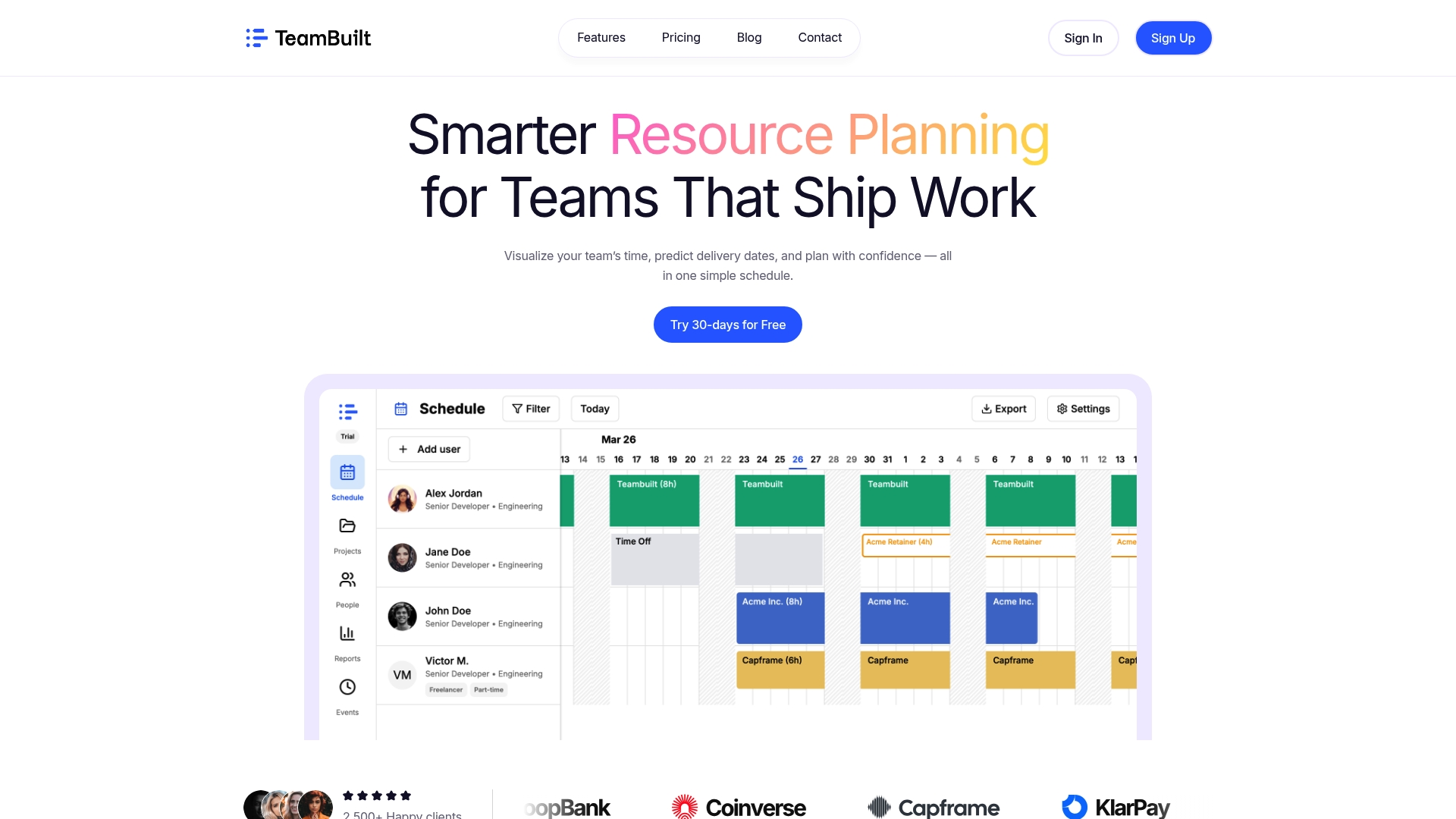
Teambuilt was built for exactly this. The platform gives operations leads and project managers real-time visibility into team capacity, workload distribution, and project timelines, all in one place. You can see bottlenecks before they become delays and coordinate across teams without the back-and-forth of scattered tools. If your organization is ready to move beyond spreadsheets and disconnected workflows, explore Teambuilt to see how centralized planning changes the way your teams deliver.
FAQ
What is complex workflow management?
Complex workflow management is the practice of coordinating multi-step, multi-team, and multi-system processes where dependencies, data integrity, and decision logic require more than simple task lists or basic scheduling to handle reliably.
When do you need an orchestration layer?
Any process with 3 or more dependent steps across systems requires an orchestration layer. Below that threshold, simpler scheduling tools are sufficient, but above it you need state management, retry logic, and observability.
What is a shadow pilot in workflow implementation?
A shadow pilot runs your new automated workflow in parallel with the existing process for a set period, typically 14 days, to compare outputs and identify logic gaps before committing to a full cutover.
How do you measure workflow health?
Track four core KPIs: success rate, retry rate, end-to-end latency, and throughput. Set SLOs against these metrics and configure alerts when your error budget drops below 50% to catch issues before they affect the business.
Why do visual workflow builders become a problem at scale?
Visual drag-and-drop tools accumulate technical debt when workflows grow deeply nested or computation-heavy. Transitioning complex logic to custom code earlier than feels necessary is almost always the right call for long-term maintainability.
Recommended