Secure team planning: A practical guide for SMBs



TL;DR:
- Most project managers focus on scheduling tasks and resources without considering security risks.
- Integrating security into every planning stage ensures faster workflows and reduces vulnerabilities throughout projects.
Most project managers treat team planning as an exercise in scheduling people and tasks. Assign resources, set deadlines, move on. But that approach leaves a dangerous gap: security. When risk assessment, role ownership, and access controls are bolted on after the plan is built, you end up with last-minute scrambles, missed deliverables, and vulnerabilities that derail entire project cycles. Secure team planning closes that gap by weaving security into every planning decision from the start, so your team moves fast without creating the kinds of workflow surprises that cost time, money, and trust.
Table of Contents
- Defining secure team planning: Core concepts and why it matters
- How secure team planning works: Workflows, roles, and verification
- Building your secure planning framework: Artifacts, documentation, and iterations
- Overcoming common challenges: Pitfalls, trade-offs, and edge cases
- The uncomfortable truth: Why teams skip security planning and how you can break the cycle
- Ready to build secure team planning into your workflow?
- Frequently asked questions
Key Takeaways
| Point | Details |
|---|---|
| Security in every plan | True secure team planning integrates security controls and roles from the start, not as an afterthought. |
| Explicit roles matter | Clear definition and documentation of security responsibilities avoids confusion and gaps. |
| Verification is vital | All deliverables should include explicit security verification steps to ensure nothing slips through. |
| Small teams, big impact | Even lean teams can adopt secure team planning by sharing security duties or outsourcing specialized tasks. |
Defining secure team planning: Core concepts and why it matters
Let’s pin down exactly what secure team planning means and why it deserves attention for your team.
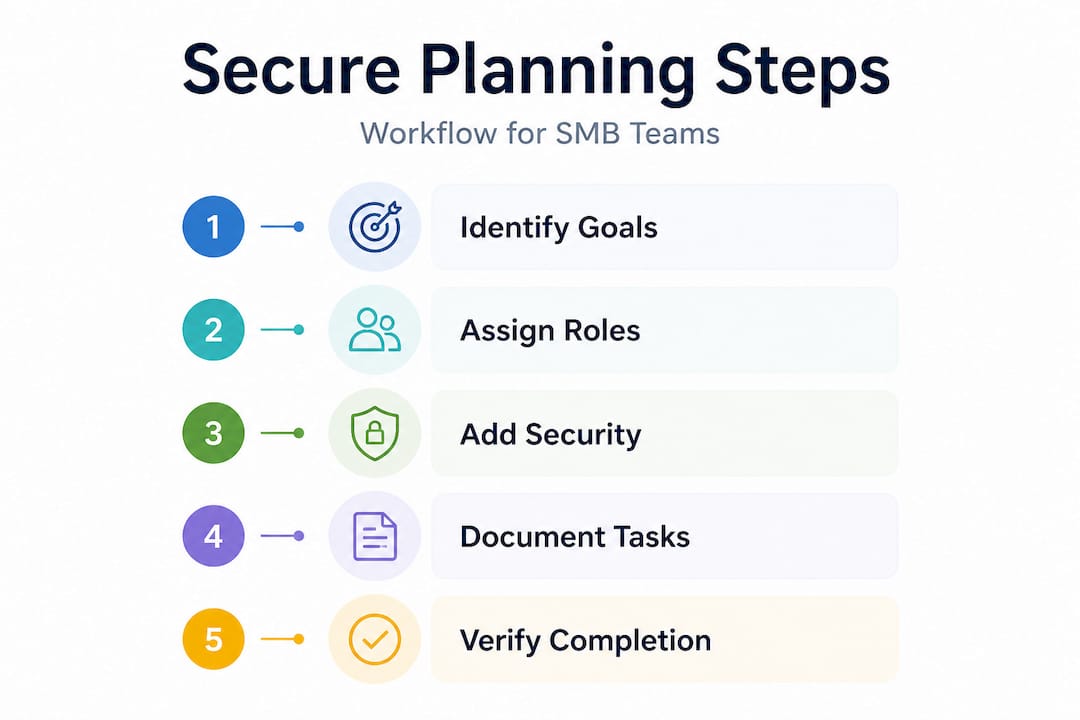
The term gets thrown around loosely, but there’s a clear operational definition worth anchoring to. Secure team planning means integrating security concerns, including risk, roles, and access, directly into the team planning process rather than treating them as a downstream add-on. That distinction is everything. It changes when you think about security (before the sprint starts, not after the sprint ends), who owns it (everyone, not just the security team), and how it gets verified (as a deliverable criterion, not a final audit).
Why does this matter for a growing startup or SMB? Because the common failure mode is predictable. Teams plan in detail for features, capacity, and timelines. Then, somewhere near launch, someone asks, “Did we handle access controls on that new endpoint?” The answer is usually “almost” or “we need another week.” That delay wasn’t caused by poor engineering. It was caused by poor planning.
“The four pillars of secure team planning are: defining objectives and capacity with security in scope, identifying risks early in the planning cycle, assigning clear security ownership across teams, and requiring verification at each stage.”
The biggest misconception is that security is “someone else’s job,” meaning a separate security team, a compliance officer, or an outside auditor. For teams with 10 to 50 people, that mindset creates a single point of failure. When security is everyone’s peripheral concern, it becomes nobody’s actual concern.
Familiarizing yourself with core team planning terms makes it easier to see where security fits naturally into existing processes rather than sitting awkwardly beside them.
Key pillars of secure team planning:
- Define objectives and acceptable risk thresholds together, not sequentially
- Identify security-relevant risks during backlog refinement, not post-sprint review
- Assign a named owner for each security requirement, not a team or department
- Require verification as part of your acceptance criteria before marking work done
Pro Tip: Even a three-person team benefits from mapping out security steps in a simple planning doc. You don’t need a security operations center to answer the question, “Who owns verifying access controls on this feature?”
How secure team planning works: Workflows, roles, and verification
With the foundation set, we can see what secure team planning actually looks like in the day-to-day work of a growing startup or SMB.
The workflow shift is less dramatic than most teams expect. You’re not adding a parallel security track. You’re embedding security checkpoints inside your existing planning and delivery cycle. A security-first workflow involves breaking work into slices, structuring planning and refinement around Directly Responsible Individuals (DRIs), and including verification and acceptance criteria for every security-relevant item.
Here’s what that looks like step by step:
- Objectives setting. When you define what a project or iteration will deliver, list the security requirements alongside the feature requirements. Not after. Alongside.
- Backlog refinement. For each issue or user story, ask: does this introduce a new access point, handle sensitive data, or change permissions? If yes, attach a security owner and a verification step.
- Sprint or iteration planning. Estimate security tasks just like feature tasks. If they take time, they need to be scheduled. Unscheduled security work gets skipped.
- Execution. DRIs are accountable for their security tasks. Cross-team dependencies, like a backend team needing security sign-off from an infrastructure lead, are documented in advance, not discovered mid-sprint.
- Verification and acceptance. Before an issue is closed or a story is marked complete, the listed security criteria must be met. No exceptions.
Defining roles and shared responsibility requires documenting who does what, often with a RACI-style approach (Responsible, Accountable, Consulted, Informed). This documentation isn’t bureaucracy. It’s the difference between a team that catches a data exposure in planning and one that catches it in a customer complaint.
For a practical look at how to build this out end-to-end, the secure team planning workflow guide covers the full cycle in a SaaS context.
| Step | Ordinary team planning | Secure team planning |
|---|---|---|
| Objectives | Feature goals only | Feature goals plus risk thresholds |
| Backlog | Tasks and estimates | Tasks, estimates, and security owners |
| Sprint planning | Velocity and capacity | Velocity, capacity, and security task scheduling |
| Execution | DRI for features | DRI for features and security items |
| Verification | Feature acceptance criteria | Feature plus security acceptance criteria |
| Review | Retrospective on delivery | Retrospective on delivery and security outcomes |
Pro Tip: Treat security criteria as non-negotiable acceptance criteria from day one. If a story can be closed without meeting its security requirement, it will be, especially when a deadline is looming. Lock that gate in your process, not in your team’s judgment.
Understanding the team scheduling steps behind efficient sprint planning makes it much easier to slot security tasks in without disrupting team rhythm.
Building your secure planning framework: Artifacts, documentation, and iterations
After workflows and roles are set, the next challenge is making security part of your planning tools, checklists, and day-to-day documentation.

The good news for lean teams is that security-specific tasks belong inside the same planning and refinement artifacts you’re already using, so they are scheduled and measurable alongside feature work. You don’t need separate security software. You need your existing planning tools to carry security information.
For most startups and SMBs, “minimal viable security documentation” is enough to get started. That means three things: an implementation plan that names the security requirements for each deliverable, an issue or iteration breakdown that assigns ownership, and a verification checklist that gets checked before work closes. These artifacts don’t need to be elaborate. They need to be real and consistently used.
| Artifact | Description | Security element |
|---|---|---|
| Implementation plan | Maps objectives to deliverables and timelines | Includes security requirements per deliverable |
| Issue/story breakdown | Granular tasks for each feature or work item | Named security owner and verification step per item |
| RACI chart | Documents who is responsible, accountable, consulted, informed | Security roles assigned per workstream |
| Acceptance criteria checklist | Defines “done” for each story or issue | Includes security-specific conditions for completion |
| Post-sprint review | Retrospective artifact for improvement | Flags any security tasks missed or deferred |
The most common failure in documentation isn’t that teams write bad docs. It’s that the docs aren’t linked to real people. A security requirement with no owner is a wish, not a plan.
Common artifacts and their security elements:
- User stories with security acceptance criteria written into the “done” definition
- RACI charts that explicitly name who verifies security compliance per deliverable
- Issue trackers (Jira, Linear, GitHub Issues) with a dedicated security label or field
- Sprint boards that surface security tasks visually so they don’t get buried under feature work
- Runbooks or checklists for recurring security verification steps tied to deployment or release
Pro Tip: Link every security requirement in your documentation to a real owner by name, not by role. “Engineering team” owns nothing. “Priya, backend lead” owns something. That simple change dramatically increases follow-through.
Using integrated planning tools that surface workload and ownership in one view makes it far easier to keep security tasks visible and accountable across iterations. And when you’re coordinating across multiple teams, centralized planning tools prevent the situation where one team’s security gap becomes another team’s emergency.
Overcoming common challenges: Pitfalls, trade-offs, and edge cases
Even with strong frameworks, teams face real-world limits and messy trade-offs; here’s how to navigate them in practical terms.
The most persistent pitfall is treating security as an afterthought. It happens subtly. A team runs a great sprint planning session, maps capacity accurately, and assigns owners to every task. Then security gets mentioned at the end as “we should check this before release.” That phrase, “before release,” is where security goes to die in a busy startup. There’s always something more urgent before release.
The second major pitfall is what happens during iteration slicing. When a large feature gets broken into smaller tasks, security requirements often don’t survive the breakdown intact. The parent issue might have a security note, but the child tasks don’t. The result is a security requirement that technically exists in your backlog but never gets assigned, estimated, or completed.
“Security requirements that are treated as ‘after the plan’ often get dropped during iteration slicing. The fix is to include security-specific tasks inside the same iteration planning and refinement artifacts, where they can be scheduled, owned, and measured alongside feature work.”
For teams that don’t have dedicated security engineers, combining or outsourcing responsibilities is legitimate, but skipping security analysis and validation entirely is not. The goal is minimum viable security coverage, not zero security overhead.
Practical solutions for small teams:
- Combine the security owner and feature lead role for the same developer on low-complexity items
- Schedule a recurring monthly security review as a fixed calendar item, not a reactive meeting
- Outsource penetration testing or access audits to a third party on a quarterly basis
- Use a “security ready” checklist as a lightweight gate before any deployment, even informal ones
- Assign one team member per sprint as the security champion to review items across the board
The trade-offs are real. Adding security steps to every story does add friction. The honest answer is that the friction of planning carefully is always smaller than the friction of cleaning up a breach, a compliance failure, or a customer-facing security incident. Explore project delivery best practices to see how other SMB teams balance speed and rigor without slowing to a crawl.
The uncomfortable truth: Why teams skip security planning and how you can break the cycle
Here’s the hard part. Most teams don’t skip secure team planning because they’re careless. They skip it because their culture treats security as friction, and their leaders haven’t made it visible enough to fight that instinct.
The real driver in adopting secure team planning isn’t a better checklist. It’s culture and leadership. We’ve seen teams with excellent security documentation still fail to execute because nobody celebrated when security criteria were met, and nobody was held accountable when they weren’t. The process existed on paper. The culture didn’t support it.
What small teams actually get right is natural role merging. When you have six engineers and one of them owns backend security because they care about it, that’s not a gap. That’s an efficient allocation of expertise. Where small teams go wrong is in assuming that organic security ownership scales. It doesn’t. When that person takes a vacation, changes roles, or leaves, their institutional knowledge about what was secured and what wasn’t goes with them. Documentation saves you here, not talent.
The mindset shift worth making is treating security planning as workflow insurance, not compliance theater. You’re not doing it to satisfy an auditor. You’re doing it so that six months from now, when you onboard a new engineer or scale to a new market, your planning artifacts tell a clear story about what’s protected and who owns it.
Make security a visible, celebrated part of your process. Something as simple as a “security ready” label in your sprint board, or a brief shout-out in your sprint review when a security item was completed cleanly, signals to the team that this work matters. It’s not bureaucratic overhead. It’s a competitive advantage.
Pro Tip: Share post-mortems of near-miss security issues with the team as learning opportunities, not blame sessions. A story that starts with “here’s what almost went wrong and how we caught it” builds the kind of security awareness that no training module can replicate.
If you want to build the kind of culture where this sticks, start with secure team planning adoption practices that are realistic for teams operating with limited bandwidth and high delivery pressure.
Ready to build secure team planning into your workflow?
Secure team planning isn’t a one-time fix. It’s an operating standard, and the right tools make it sustainable without adding administrative burden to your team.
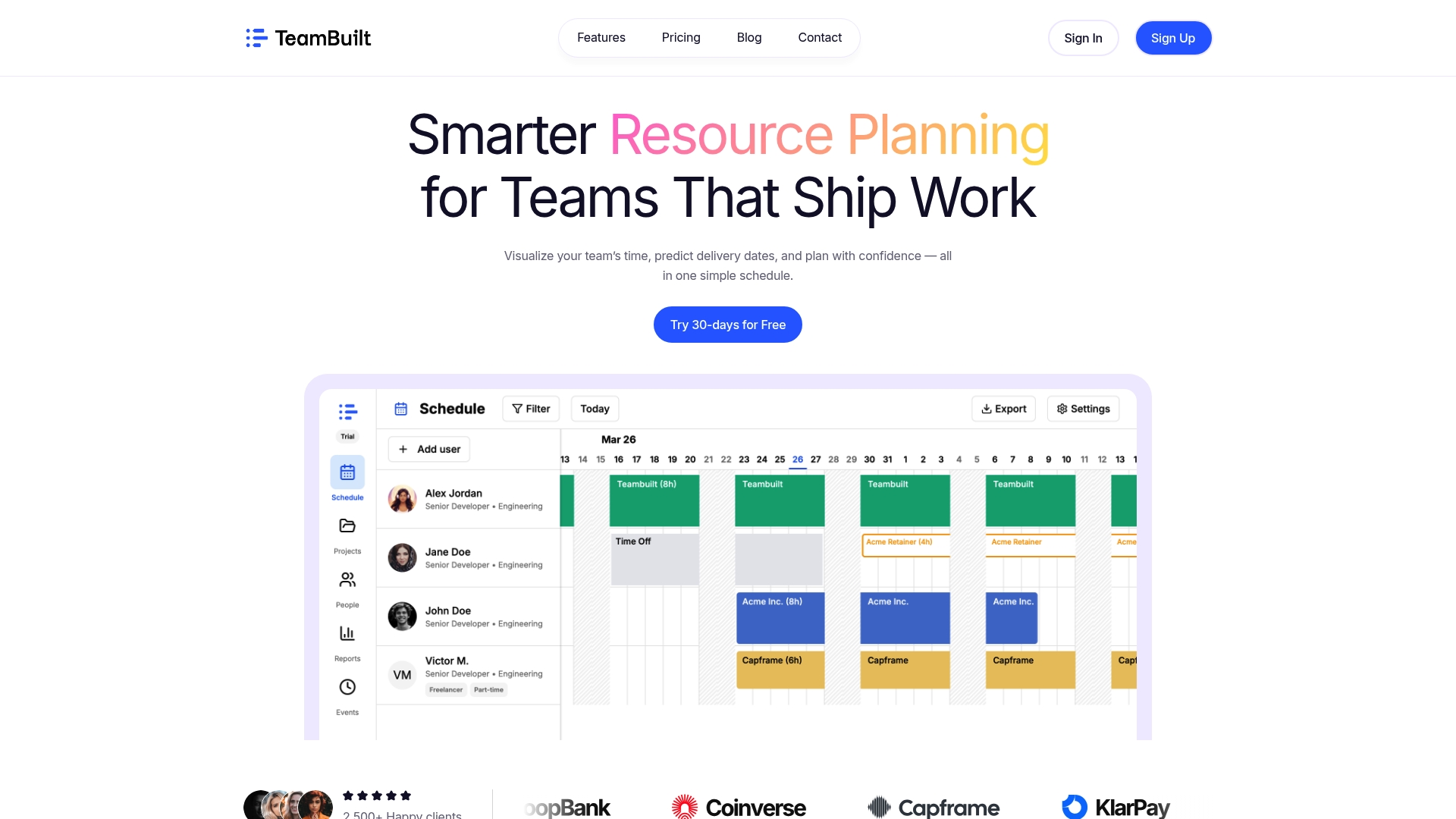
TeamBuilt is built for exactly this kind of operational complexity. With real-time visibility into team capacity, cross-team workload tracking, and centralized planning workflows, you can see where security tasks are sitting, who owns them, and whether they’re keeping pace with feature delivery. The TeamBuilt platform gives project managers and operations leads the kind of structured clarity that makes secure planning a daily habit rather than a quarterly fire drill. Explore TeamBuilt’s features to see how resource planning, role visibility, and integrated workflows can support your security-conscious team from sprint planning through delivery.
Frequently asked questions
How does secure team planning differ from basic team planning?
Secure team planning intentionally weaves security risks, roles, and controls throughout every stage of the workflow, rather than treating security as a late-stage check after the plan is finalized.
Do I need a dedicated security engineer for secure team planning?
No. Small teams can share or outsource responsibilities to achieve minimum viable security, but they must still include security analysis and verification in their planning cycle.
What tools or templates can help with secure team planning?
Use implementation plans, issue breakdowns, and acceptance checklists that include security owners and verification steps for each deliverable.
How do I assign security ownership if my team is small?
Assign security tasks to named individuals as part of their project responsibilities, and clarify verification steps for each deliverable so ownership is unambiguous even without a dedicated security role.
Recommended