Streamline your team scheduling workflow: max efficiency


TL;DR:
- Effective team scheduling balances predictability, flexibility, and utilization to ensure consistent delivery.
- Building a repeatable, automated workflow reduces conflicts, delays, and burnout in growing teams.
- Discipline in processes and stakeholder alignment are more crucial than relying solely on scheduling tools.
Juggling shifting availability, overlapping tasks, and last-minute project changes is a reality for most growing teams. When scheduling runs on spreadsheets and Slack threads, delays pile up, people burn out, and delivery dates become guesses. The good news is that a structured team scheduling workflow turns that chaos into predictability. This guide walks you through the core principles, practical setup steps, a clear build-and-automate process, and how to troubleshoot the friction points that slow teams down. Whether you manage five people or fifty, these strategies will help you get more done with the resources you already have.
Table of Contents
- Understand the fundamentals of effective team scheduling
- Prepare your team and tools for optimized scheduling
- Step-by-step guide: Build and automate your scheduling workflow
- Troubleshoot common scheduling challenges and refine your workflow
- Our perspective: Why workflow discipline beats chasing the latest tools
- Next steps: Elevate your team scheduling with TeamBuilt
- Frequently asked questions
Key Takeaways
| Point | Details |
|---|---|
| Define scheduling goals | Start by clarifying your team’s workflow objectives to guide smarter scheduling choices. |
| Choose the right strategy | Adopt a scheduling approach—time-constrained, resource-constrained, or balanced—that matches your team’s needs. |
| Automate and adapt | Leverage automation and keep refining your process to minimize conflicts and boost efficiency. |
| Focus on consistency | Regular workflow discipline consistently outperforms investments in ever-changing tools. |
Understand the fundamentals of effective team scheduling
Before you redesign anything, it helps to understand what a scheduling workflow is actually trying to achieve. At its core, good scheduling balances three things: predictability (knowing when work gets done), flexibility (adapting when things change), and utilization (making sure no one is overloaded or sitting idle). When all three are working together, your team delivers consistently without burning out.
One of the most important distinctions in scheduling is the difference between time-constrained and resource-constrained approaches. Resource scheduling methods break down like this:
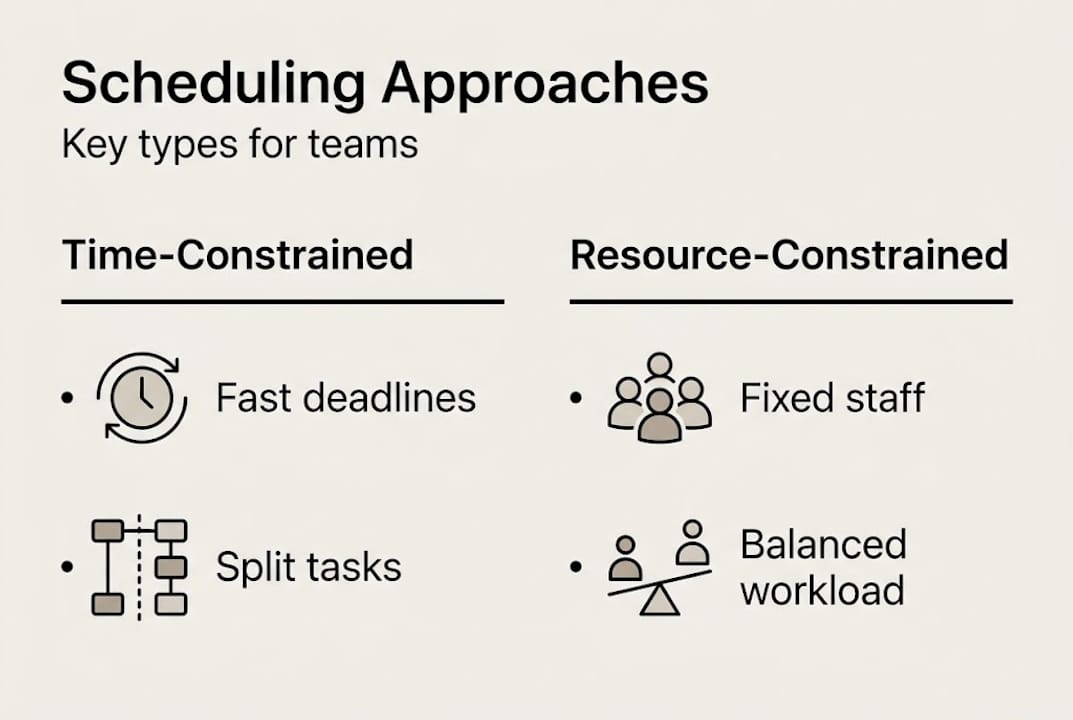
| Approach | Priority | Best used when |
|---|---|---|
| Time-constrained | Meet the deadline, split tasks as needed | Hard deadlines are non-negotiable |
| Resource-constrained | Adjust timeline to match available capacity | Team bandwidth is the limiting factor |
Most SMBs and startups operate somewhere between these two extremes, which is why having a clear workflow matters. Without one, you default to whichever approach feels urgent in the moment, and that inconsistency is where projects fall apart.
For growing organizations, the goals of a well-designed scheduling workflow include:
- Reducing last-minute reassignments that disrupt focus
- Giving stakeholders accurate delivery forecasts
- Preventing single points of failure when key people are unavailable
- Creating a repeatable process that scales as headcount grows
- Making it easier to optimize resource allocation across multiple projects
The cost of poor scheduling is real. Teams that rely on ad-hoc scheduling spend an estimated 20 to 30 percent more time on coordination overhead, leaving less time for actual work. That friction compounds fast as your team grows.
The takeaway here is simple: scheduling is not just a logistics problem. It is a strategic lever that directly affects how fast and how reliably your team delivers.
Prepare your team and tools for optimized scheduling
Having established the basics, it’s time to ensure you and your team are equipped for success. Before you build anything new, audit what you currently have. Walk through a recent two-week sprint or project cycle and ask: where did delays happen? Who was overbooked? Which tasks sat unassigned longer than they should have? This audit does not need to be formal. A simple list of friction points is enough to start.
Next, gather the essential information your scheduling workflow will depend on:
- Team roles and skill sets: Who can do what, and at what capacity?
- Project priorities: Which work is urgent, which is important, and which can flex?
- Time-off and availability policies: Holidays, part-time schedules, and recurring commitments
- Dependencies: Which tasks block others from starting?
- Stakeholder expectations: Who needs to be informed when timelines shift?
Capacity planning is a core part of this preparation. Capacity planning strategies fall into three types: Lead (hire or plan ahead of demand), Lag (react after demand appears), and Match (continuously align capacity to actual demand). For most startups and SMBs, a Match approach gives the best balance between agility and stability.
When selecting tools, look for features that directly support your workflow needs. Here is a quick overview:
| Feature | Why it matters |
|---|---|
| Real-time availability tracking | Prevents double-booking and missed conflicts |
| Workload visualization | Shows who is over or under capacity at a glance |
| Automated notifications | Keeps everyone aligned without manual follow-up |
| Reporting and analytics | Surfaces patterns so you can improve over time |
| Integrations | Connects scheduling to your existing project tools |
Good project timeline management steps depend on having accurate data flowing into your scheduling system. The same is true for scalable project workflows, where consistent data inputs are what make automation possible later.

Pro Tip: Choose platforms that allow team members to update their own availability in real time. When availability data is always current, your scheduling decisions are based on reality, not assumptions.
Step-by-step guide: Build and automate your scheduling workflow
With your foundations and tools in place, you can now build and automate an effective team scheduling workflow. Here is a clear process to follow:
-
Map your planning horizon. Decide how far ahead you schedule. Most SMBs benefit from a rolling two to four week view, with a looser plan for the following month. This gives structure without locking you into decisions too early.
-
Assign work based on capacity, not just availability. Someone being technically available does not mean they have the bandwidth for more work. Use workload visualization to check actual utilization before assigning tasks.
-
Set up automated notifications for key triggers. When a task is assigned, when a deadline shifts, or when someone’s availability changes, your system should alert the right people automatically. This removes the coordination tax from your plate.
-
Build in a weekly check-in cadence. A short sync, fifteen minutes or less, to review the upcoming week’s schedule catches conflicts before they become crises. Keep it focused on blockers and changes, not status updates.
-
Track actuals against estimates. Log how long tasks actually take versus how long you planned. Over time, this data makes your estimates sharper and your forecasts more reliable.
-
Adjust and rebalance continuously. Scheduling is not a set-and-forget activity. Use your analytics to spot recurring overloads or underutilization and adjust assignments accordingly.
Resource scheduling methods and capacity planning directly inform how you design your automation rules. For example, if you use a time-constrained approach for client deliverables, your automation should flag when a deadline is at risk due to capacity gaps, not just when a task is overdue.
Pro Tip: Start with one automated trigger, such as a notification when a team member is booked above 90 percent capacity. Once that runs smoothly, layer in more automation. Trying to automate everything at once leads to alert fatigue.
Building strong workflow automation for managers takes iteration, but the payoff is significant. Teams with automated scheduling processes report fewer conflicts and faster response times when priorities shift. Pairing automation with real-time team coordination tools creates a feedback loop that keeps everyone aligned without constant manual intervention.
Troubleshoot common scheduling challenges and refine your workflow
Even with best-laid plans, teams encounter obstacles. The key is turning these into learning opportunities rather than recurring headaches.
The most common scheduling problems in growing teams include:
- Overbooking: Assigning more work than a person can realistically handle in a given period
- Underutilization: Leaving capacity idle because work was not distributed evenly
- Communication breakdowns: Key people not knowing about schedule changes until it is too late
- Scope creep: New tasks getting added without removing or delaying existing ones
- Dependency blindness: Starting tasks without checking whether upstream work is actually complete
Each of these has a systematic fix. Overbooking is solved by making utilization visible before assigning work. Underutilization is solved by reviewing capacity weekly and redistributing proactively. Communication breakdowns are solved by automating notifications and keeping a single source of truth for the schedule.
A balanced capacity strategy that matches staffing to real demand is the most effective way to avoid both burnout and wasted resources. It requires more active management than a reactive approach, but the stability it creates is worth the effort.
Refinement is an ongoing process. Build a simple feedback loop: after each project or sprint, ask your team what scheduling friction they experienced. Two or three specific answers are more useful than a general survey. Then make one small process change and observe the result.
Small tweaks often deliver outsized gains. Moving your weekly check-in from Monday morning to Friday afternoon, for example, means you start each week with a clear plan rather than scrambling to catch up. Checking real-time collaboration tips can also surface quick wins that reduce coordination overhead without requiring a full workflow overhaul.
The goal is a workflow that improves itself over time, not one that requires heroic effort to maintain.
Our perspective: Why workflow discipline beats chasing the latest tools
Here is something we have seen repeatedly: teams that invest in a new scheduling tool without fixing their underlying process end up with the same problems, just in a shinier interface. The tool is not the solution. The discipline to follow a process consistently is.
This matters because the scheduling software market is full of genuinely impressive products. It is tempting to believe that the right platform will solve your coordination problems automatically. But technology only amplifies what you already do. If your team does not have buy-in on how scheduling decisions get made, no amount of automation will fix that.
The teams that get the most from their tools are the ones that define their workflow first, then select software that fits it. They also invest time in stakeholder alignment, making sure everyone from individual contributors to leadership understands why the process exists and what it protects. You can explore workflow and flexibility insights to see how this plays out across different team structures.
Discipline is not glamorous. But it is what separates teams that consistently deliver from those that are always one surprise away from a crisis.
Next steps: Elevate your team scheduling with TeamBuilt
Ready to put these strategies into action? Here’s how TeamBuilt can help.
The challenges covered in this guide, from overbooking to communication gaps to unreliable forecasts, are exactly what TeamBuilt is built to address. The platform gives you real-time visibility into team capacity, workload visualization, and automated alerts that keep your scheduling workflow running without constant manual effort.

If you are still managing schedules in spreadsheets or juggling multiple disconnected tools, now is a good time to see what a purpose-built resource planning platform can do for your team. Explore the full set of TeamBuilt features and see how quickly you can move from scheduling chaos to confident, predictable delivery.
Frequently asked questions
What’s the difference between time-constrained and resource-constrained scheduling?
Time-constrained scheduling prioritizes meeting a deadline by splitting or accelerating tasks, while resource-constrained scheduling adjusts the timeline to match what your team can actually handle. The right choice depends on whether your deadline or your team’s capacity is the harder limit.
How can I reduce scheduling conflicts in my team workflow?
Automating scheduling triggers and keeping availability data current are the two most effective steps. Workflow automation reduces the manual coordination that causes most conflicts, and real-time updates mean your schedule reflects reality rather than outdated assumptions.
What capacity planning strategy is best for small teams?
A match strategy works best for most small teams, continuously aligning staffing to actual demand rather than over-hiring ahead of need or scrambling to catch up after the fact. It requires active monitoring but prevents both burnout and idle capacity.
Which features should I look for in scheduling software?
Prioritize real-time availability tracking, workload visualization, automated notifications, and clean integrations with your existing project tools. These four features cover the most common sources of scheduling friction for growing teams.
Recommended