Team scheduling: optimize resource allocation and workflow



TL;DR:
- Effective team scheduling coordinates people, time, and resources to meet project goals without overload.
- Core elements include shared visibility, availability tracking, skill matching, conflict alerts, and automation.
- Cultivating scheduling discipline and using dedicated software helps SMBs prevent chaos, meet deadlines, and improve team morale.
Most project managers think they’re scheduling their teams. In reality, they’re just assigning tasks. There’s a big difference, and it’s costing startups and SMBs real money in missed deadlines, burned-out employees, and chaotic last-minute scrambles. True team scheduling means coordinating people, time, and resources in a way that aligns with actual project goals and realistic capacity. Get it right, and your workflow transforms. Get it wrong, and no amount of effort or overtime will save your delivery dates.
Table of Contents
- What is team scheduling and why it matters
- Core elements of effective team scheduling
- Top software solutions for team scheduling
- Best practices and common pitfalls in team scheduling
- Why most teams underestimate the power of real scheduling
- Optimize your workflow with the right scheduling platform
- Frequently asked questions
Key Takeaways
| Point | Details |
|---|---|
| Team scheduling defined | Team scheduling coordinates people and resources to match project requirements, not just tasks. |
| Impact on SMBs | Better scheduling prevents conflicts, boosts productivity, and supports business growth. |
| Essential elements | Successful scheduling depends on calendar visibility, real-time updates, and automation. |
| Choose software wisely | The right tool saves time, reduces errors, and integrates with your existing project management. |
| Mindset matters | Cultural adoption and scheduling discipline maximize the potential of scheduling solutions. |
What is team scheduling and why it matters
Team scheduling is not a calendar full of meetings. It’s not a task list in a project management tool either. At its core, team scheduling is the practice of organizing who does what, when, and with what resources, so that project goals are met without overloading your people or creating bottlenecks.
The distinction between team scheduling and task management trips up a lot of leaders. Task management answers “what needs to get done?” Team scheduling answers “who is available, skilled, and resourced to do it, and when?” Without scheduling, you might know every task on your plate but still have no idea whether your team can actually deliver on time.
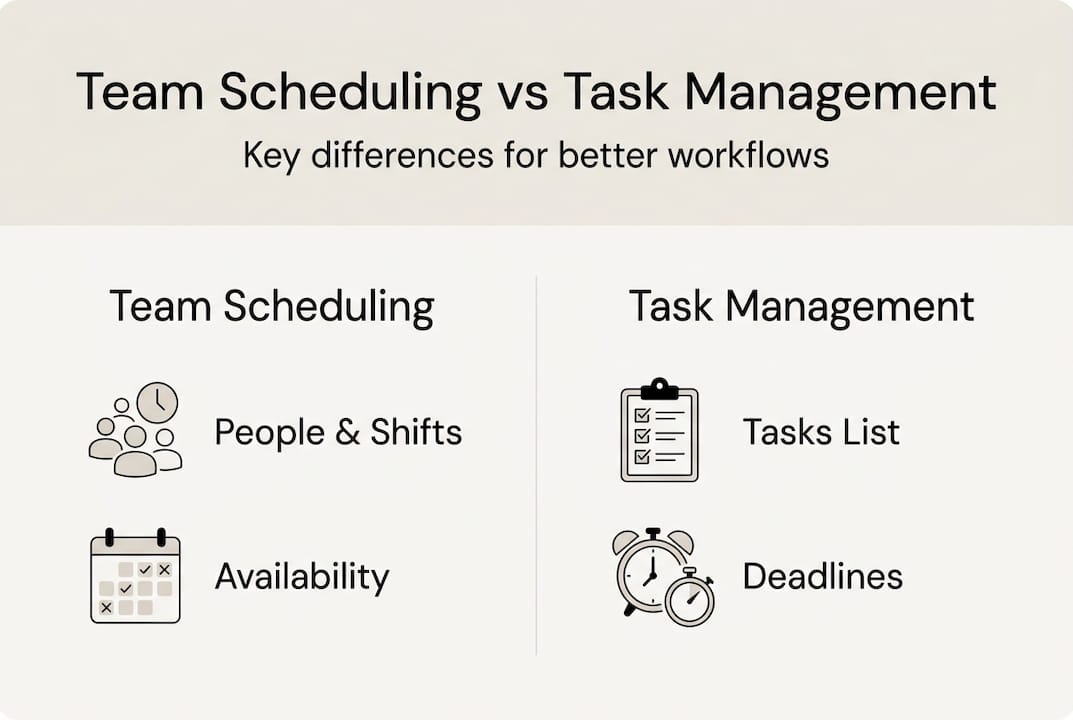
For startups and SMBs, this gap is especially costly. Small teams have little slack. One person being double-booked or one project being under-resourced can cascade into a full workflow breakdown. Scheduling software for small business shows that team scheduling integrates resource allocation with workflow optimization in ways that generic task tools simply can’t replicate.
Here’s what poor scheduling actually looks like in practice:
- Two team members assigned to the same urgent task with no one covering their other responsibilities
- A project kicking off before a key specialist returns from vacation
- Deadlines set without checking actual team capacity
- No visibility into who’s overloaded until someone drops the ball
These aren’t failures of effort. They’re failures of planning. And they’re almost entirely preventable with a proper scheduling system.
“The biggest scheduling mistake is treating it as a one-time setup rather than a living, breathing operational process that adjusts as your team and projects evolve.”
When you invest in project workflow efficiency, you stop reacting to chaos and start preventing it. That shift alone can dramatically improve both delivery speed and team morale.
Core elements of effective team scheduling
Knowing why team scheduling matters is step one. Knowing what makes it work is step two. Effective scheduling systems share a common set of building blocks, and missing even one can create friction across your entire operation.
Here are the five core elements every solid team scheduling system needs:
- Shared calendar visibility. Every team member and manager should see the same picture of who is working on what and when. Hidden schedules create silos and surprises.
- Availability tracking. You need to know not just who is on the team, but who has capacity right now. This includes tracking leave, part-time hours, and project commitments.
- Role and skill matching. Assigning the right person means matching the task requirements to the person’s actual skills, not just whoever is free.
- Conflict detection and alerts. Automated flags for double-bookings, overallocation, or scheduling gaps save hours of manual checking every week.
- Recurring task automation. Shift patterns, weekly standups, and repeating deliverables should be templated and auto-scheduled so your team isn’t rebuilding the same schedule from scratch each cycle.
Using scheduling software reduces admin time and shift conflicts significantly, freeing up managers to focus on strategy instead of logistics.

Pro Tip: Automate recurring tasks and shift patterns from day one. Even a simple weekly template saves 30 to 60 minutes of manual scheduling per manager per week. Over a quarter, that adds up to real time you can reinvest in higher-value work.
Centralized scheduling also supports better cross-team communication. When everyone works from the same source of truth, centralized team management becomes far less stressful and far more predictable. Teams stop asking “who’s handling this?” and start executing with confidence.
The real-time coordination benefits are especially visible during high-stakes project phases, where a single scheduling mistake can delay an entire release or client deliverable.
Top software solutions for team scheduling
With the core elements clear, the next challenge is choosing software that actually supports them. The market is crowded, but not all tools are built equally for startups and SMBs with dynamic, multi-project environments.
Here’s what separates strong scheduling platforms from basic calendar tools:
- Real-time resource tracking. You need live visibility into who is allocated and at what percentage, not a static spreadsheet that’s outdated by Tuesday.
- Project management integration. Scheduling in a vacuum doesn’t work. The best tools connect directly with your project timelines and task boards.
- Calendar sync. Two-way sync with Google Calendar or Outlook keeps individual schedules and team schedules aligned automatically.
- Automated conflict alerts. The software should flag overallocation before it becomes a problem, not after someone misses a deadline.
Integrating resource scheduling with project management tools is strongly recommended for teams managing multiple concurrent projects.
| Feature | Spreadsheets | Basic calendar tools | Dedicated scheduling platforms |
|---|---|---|---|
| Real-time availability | No | Partial | Yes |
| Resource conflict alerts | No | No | Yes |
| Project timeline integration | No | No | Yes |
| Skill-based assignment | No | No | Yes |
| Automated recurring tasks | No | Partial | Yes |
| API and tool integrations | No | Limited | Yes |
For teams ready to move beyond spreadsheets, platforms like TeamBuilt offer a purpose-built approach. The full features overview covers workload visualization, capacity tracking, and delivery forecasting in one place. If you’re evaluating options, reviewing team scheduling alternatives side by side helps clarify which tool fits your team’s scale and workflow complexity.
Selection criteria worth prioritizing: ease of onboarding, integration depth with your existing tools, and how well the platform handles project timeline management across multiple simultaneous projects.
Best practices and common pitfalls in team scheduling
Even with the right software, teams fall into predictable traps. Knowing what to avoid is just as valuable as knowing what to do.
Common pitfalls:
- Ignoring leave and vacation. Schedules built without accounting for planned time off collapse the moment someone goes on holiday.
- Lack of transparency. When only managers see the full schedule, team members can’t flag conflicts or flag capacity issues early.
- Overcomplicating the tool. Choosing a platform with more features than your team can use creates adoption resistance and scheduling gaps.
Here’s a quick reference on the most frequent scheduling bottlenecks and practical solutions:
| Bottleneck | Root cause | Solution |
|---|---|---|
| Missed deadlines | No capacity check before assignment | Use availability tracking before scheduling |
| Double-booking | No conflict alerts | Enable automated conflict detection |
| Burnout | Chronic overallocation | Set utilization thresholds and monitor weekly |
| Poor handoffs | No shared visibility | Centralize scheduling in one platform |
| Slow onboarding | Manual schedule rebuilding | Automate recurring templates |
Workflow optimization depends on integrating team scheduling with your broader project and resource tools, not running them as separate systems.
Best practices that actually move the needle include collecting continuous feedback from team members on scheduling friction, integrating your scheduling tool with your project management platform from day one, and training your team on how to update their own availability in real time.
Pro Tip: Before rolling out a new scheduling system organization-wide, run a two-week pilot with one team. This surfaces configuration issues and adoption gaps early, without disrupting your entire operation.
Exploring workflow automation strategies and proven agency workflow tips can help you build scheduling habits that scale as your team grows.
Why most teams underestimate the power of real scheduling
Here’s the uncomfortable truth: most teams that struggle with scheduling don’t have a software problem. They have a culture problem.
Leaders invest in tools, roll them out, and then watch adoption stall because the underlying habits never changed. People still message each other directly to check availability. Managers still build schedules in spreadsheets out of habit. The tool sits underused while the chaos continues.
Real scheduling transformation requires buy-in at every level, not just a top-down mandate. When team members understand why scheduling discipline matters, they update their availability, flag conflicts early, and use the system as intended. Without that understanding, even the best platform becomes shelfware.
As we see it at TeamBuilt: most workflow chaos is not from lack of tools but lack of scheduling discipline. The mindset shift has to come first. Software amplifies good habits. It can’t create them.
The SaaS workflow benefits are real, but only when teams commit to the operational discipline that makes those benefits possible.
Optimize your workflow with the right scheduling platform
If this article has made one thing clear, it’s that team scheduling is a strategic lever, not an administrative chore. The right platform makes the difference between a team that reacts to chaos and one that operates with confidence and predictability.

TeamBuilt is built specifically for startups, SMBs, and agencies managing complex, multi-team workflows. From real-time workload visualization to delivery forecasting and conflict prevention, the resource scheduling platform gives your team the visibility it needs to execute without surprises. Explore the full features overview and start a free trial to see how it fits your workflow before committing. The best time to fix your scheduling is before the next deadline crisis hits.
Frequently asked questions
How is team scheduling different from task management?
Team scheduling coordinates people and resources based on availability and timelines, while task management tracks what needs to get done. Scheduling answers who can do it and when, not just what needs doing.
What makes team scheduling important for small businesses?
For SMBs with lean teams, scheduling reduces conflicts and ensures capacity is matched to project demands before deadlines become emergencies. It’s one of the highest-leverage operational improvements a small team can make.
Which software features are essential for team scheduling?
Prioritize shared calendars, real-time availability tracking, resource conflict alerts, and platform integrations with your existing project management tools. Automated recurring task scheduling is a strong bonus.
How do I prevent resource conflicts in my schedule?
Centralized tools with live availability data and automated conflict alerts catch double-bookings and overallocation before they disrupt delivery. Pair that with weekly capacity reviews for best results.
Recommended